How to Add Custom CSS to a WordPress Page or Post
A practical guide to adding custom CSS in WordPress safely, including site-wide CSS, page-specific selectors, block CSS classes,…
You installed a caching plugin, Cloudflare, and Redis. WPColt shows whether any of it is actually working, whether the layers are fighting, and what to fix first.
Good edge cache, broken server cache, one plugin conflict.
A tracking cookie is forcing the server cache to miss every public post request.
Most sites do not need another cache switch. They need to know why Cloudflare says BYPASS, why Varnish never gets warm, or why Redis is installed but disconnected.
WPColt tests public requests and reads WordPress/cache signals without changing settings, purging caches, or writing rules.
Homepage and post checks run twice as a logged-out visitor, then compare headers like Age, X-Cache, X-Varnish, and CF-Cache-Status.
The report separates what works, what is broken, what to fix first, and how to verify the fix.
Version one focuses on the questions that decide whether a WordPress site feels instant, stale, unpredictable, or mysteriously slow.
Flags active page-cache plugins and spots obvious two-plugin collisions before you chase server settings.
Looks for Varnish, Nginx FastCGI cache, LiteSpeed, Cloudflare, and other proxy fingerprints.
Reports whether Redis or Memcached appears installed, connected, and useful instead of merely present.
Turns Age, X-Cache, X-Varnish, Server-Timing, and CF-Cache-Status into HIT, MISS, BYPASS, or unknown.
Finds cookies and response headers that make public pages uncacheable across server and CDN layers.
Checks cart, account, and checkout patterns so private ecommerce pages do not get cached by accident.
No terminal screenshots. No raw header dump as the final answer. The report keeps the evidence close and explains the next move.
Logged-out request comparison
Cache outcomes: HIT, MISS, BYPASS, unknown
Frontend bloat after the scan
Fix ranked by impact and confidence
Cloudflare is serving repeat homepage requests from cache. Age increases between checks.
Server cache misses every post request because a marketing cookie is sent on public pages.
Exclude the cookie from anonymous visitors or move it behind consent before tuning cache TTLs.
Clear caches, run the check again, and confirm X-Cache changes from MISS to HIT on the second request.
The first release should win trust with a sharp free diagnostic. Paid monitoring can come after the core report is valuable.
One-off diagnostics for WordPress site owners and agencies.
Scheduled checks and alerts for sites where stale cache means lost money.
A hands-on cache, Cloudflare, Varnish, and WooCommerce review.
Legacy URLs are rebuilt as modern, focused WordPress explainers so old references land somewhere credible and internally connected.
HIT, MISS, BYPASS, Age, X-Cache, X-Varnish, and CF-Cache-Status explained in one indexable library.
Open libraryInstallation, setup, interpreting reports, troubleshooting, and safe verification steps.
Read docsShort definitions for caching, object cache, page cache, proxy cache, CDN, TTL, cookies, and headers.
Browse glossaryA grid built for practical articles, old URL recovery, and search-friendly troubleshooting content.

A practical guide to adding custom CSS in WordPress safely, including site-wide CSS, page-specific selectors, block CSS classes,…
Beaver Builder Review – Yet Another Guru Page Builder for WordPress should be judged by real content, mobile…
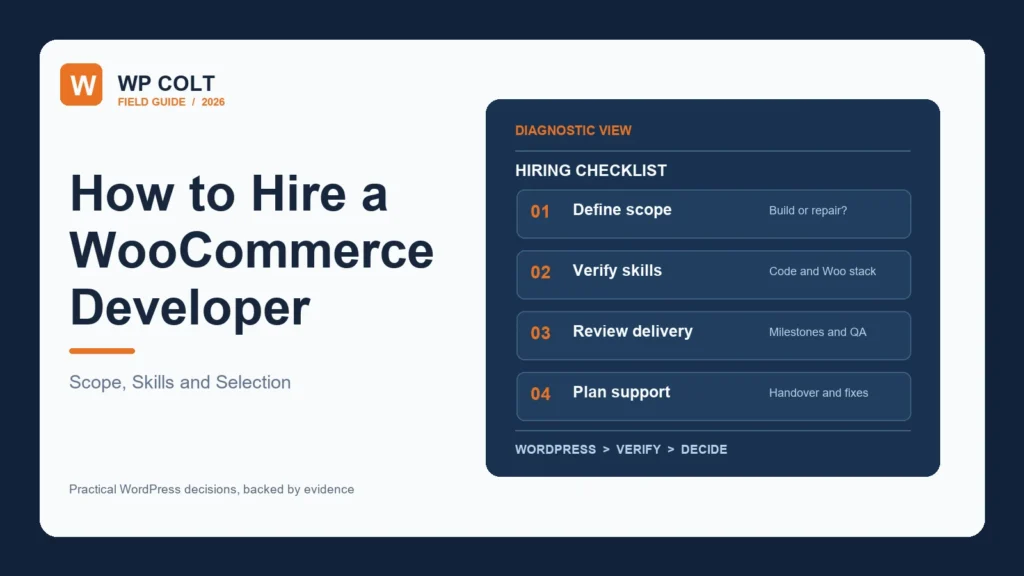
Published rates run from a $20 median on Upwork to $150 an hour at boutique agencies. This guide…
WPColt is for the moment after setup, when the speed tool says one thing, the CDN says another, and the site owner just wants a clear answer.